
ForeCast
See your next cast before you need it. ForeCast knows your class, spec, level, spell ranks, talents, form and pet, and shows what to press next, and when, from level 1 to 60.
Play a hunter pull
A small recreation of ForeCast on a hunter. Click the red spell (on the halo, the window or your bar) or press its key. Watch green line up the next shot while you wait on Auto Shot.
Three colors, zero setup
Red: cast now
Turns red inside your spell queue window, so your press fires the instant the ability is ready.
Green: next up
The spell that turns red next, shown at the same time as red or yellow, counting down so you're ready.
Yellow: wait
Let Auto Shot land, let your wand shoot, or hold your damage for threat. Gold marks a big cooldown that's ready: your call.
Combat halo
Glowing arcs around your character with your spells on the ring, power and pet health rings, range icon and a DPS gauge.
Every class
Rotations for all nine classes and tanks, with racials, forms, stances and pets, adapting the moment you learn something new.
Learns from your fights
Fight lengths, damage per cast and your reaction time, to plan the next pull better. HOW shows what following the cues is worth.
Groups and PvP
Waits for the tank and holds your damage near the threat limit. Against players it switches to burst, slows and earlier defenses.
Your own bars too
The same colors glow on Blizzard, Bartender4, Dominos and ElvUI buttons, so you can play from your usual bars.
Your call
Pass over a set-up step (pet, Hunter's Mark, an opener) for another spell and ForeCast carries on from the spell you chose.
What it looks like
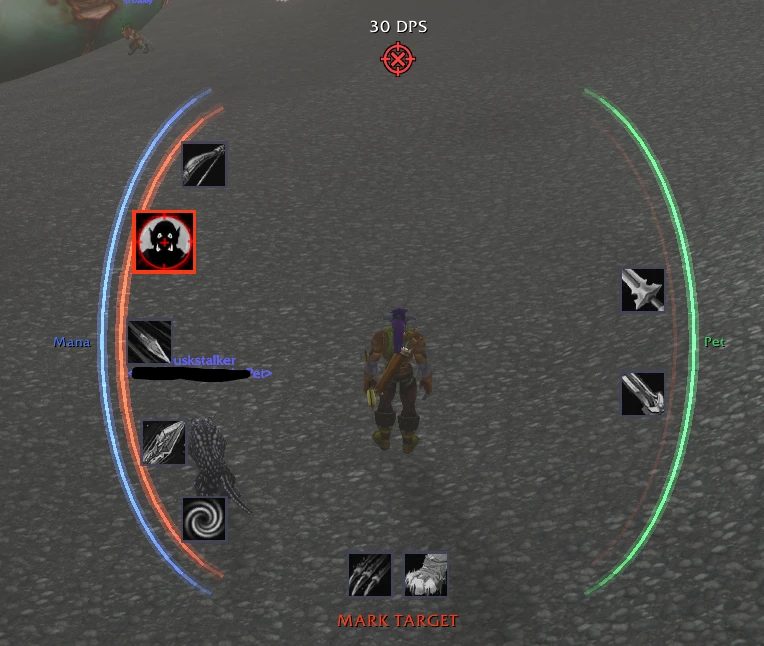
The halo on a hunter: ranged spells left, melee right.
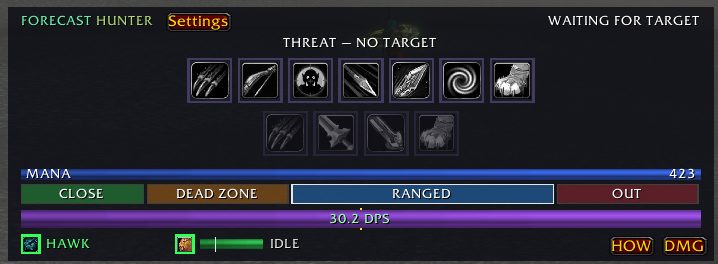
The ForeCast window: two clickable rows, range band, threat and DPS.
Free, no ads. Questions and bug reports go in the CurseForge comments; every setting is explained in the wiki.